How to Sync Your Australian Bank Data to Airtable
A step-by-step walkthrough of connecting your Australian bank account to Airtable with Redbark, so every transaction lands in a base automatically.

Airtable is the destination people reach for when a spreadsheet isn't quite enough. You want views, linked records, interfaces, and automations sitting on top of your transactions, not just rows in a grid. The problem has always been getting the data in there and keeping it current.
Redbark now syncs Australian bank transactions straight into an Airtable base. You connect your bank, point Redbark at a base and table, and every new transaction shows up as a record within minutes of posting. No CSV exports, no manual paste.
Why Airtable
A lot of people start in Google Sheets and outgrow it. Once you want to filter by account, group by month, link transactions to a budget table, or trigger an automation when something lands, Airtable is the obvious next step. It behaves like a real database while staying as approachable as a spreadsheet.
The catch is the same one every Australian hits: there's no native way to get your bank feed into Airtable. You end up exporting transactions from your banking app and importing them by hand, which lasts about two weeks before you give up.
Redbark closes that gap. It connects to your bank through CDR Open Banking and writes each transaction into Airtable as a typed record.
What you need before starting
- An Australian bank account with one of the 100+ supported institutions (ANZ, CommBank, NAB, Westpac, and most smaller banks and credit unions)
- An Airtable account
- A Redbark account (7-day free trial, no credit card required)
Connecting your bank
From the dashboard, you add a connection and choose Australian Banks.
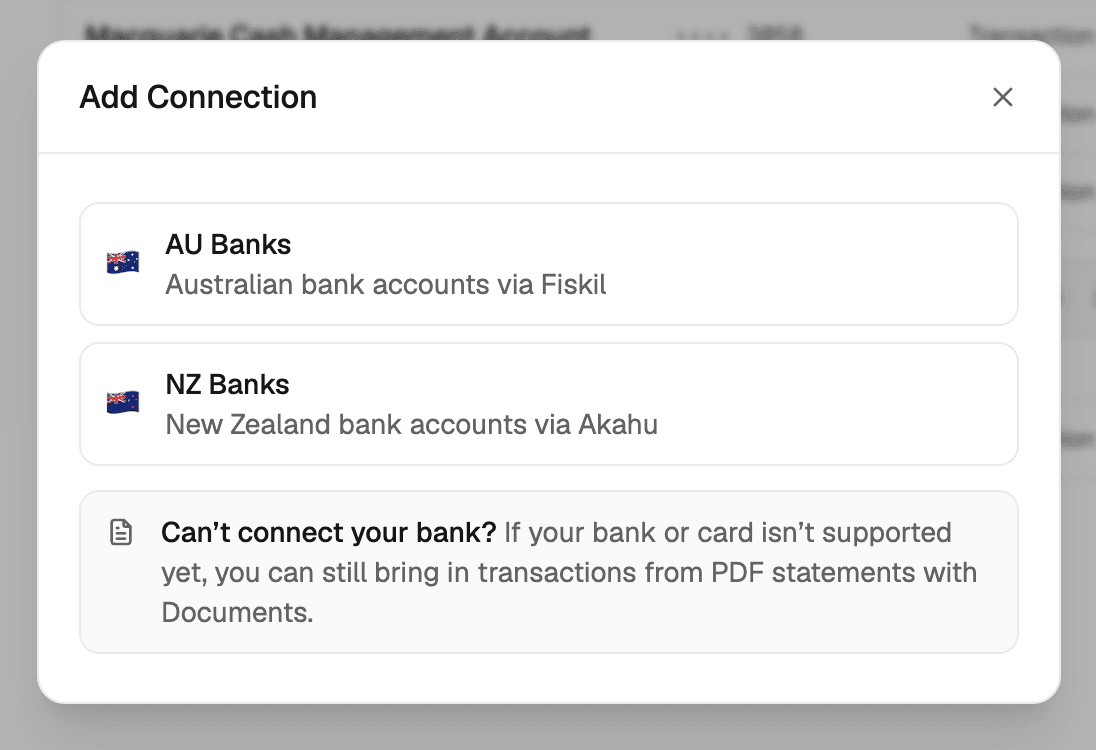
This takes you to Fiskil's consent screen, where you select your bank, log in with your banking credentials, and grant consent for Redbark to access your account and transaction data. Redbark never sees your banking login.
Fiskil is accredited under the Consumer Data Right (CDR). That accreditation means they've passed the ACCC's assessment for handling banking data, and your bank is legally required to share your data with them when you consent.
The whole thing takes about a minute. Once you're redirected back to Redbark, your accounts appear in the dashboard, sync for a few seconds while Fiskil loads your history, then switch to available.
CDR consent lasts up to 12 months. Redbark emails you about 90 days before expiry so you can re-consent if you want to keep syncing. We wrote about how we handle consent lifecycle and data security in our security post.
Connecting Airtable
Next you add Airtable as a destination. From the destinations page, click Add Destination, select Airtable, and authorise Redbark.
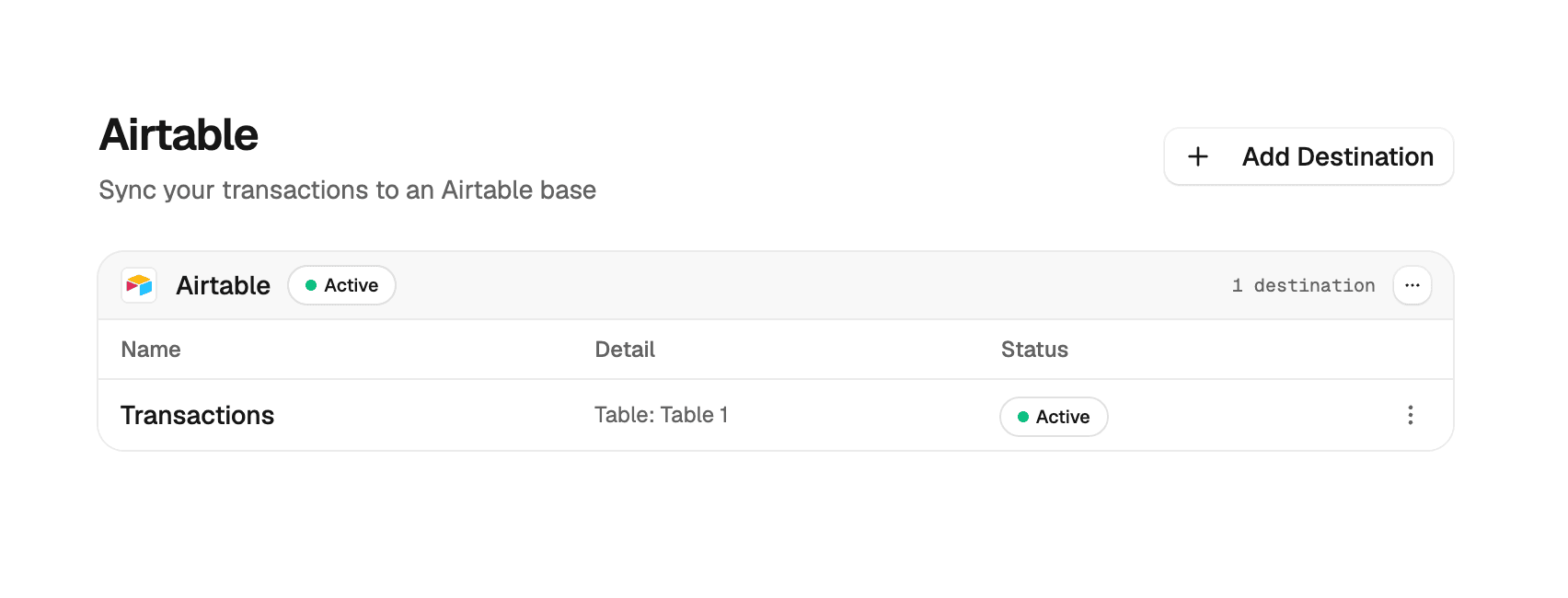
The connection uses OAuth 2.0 with PKCE. During authorisation, Airtable lets you grant access to only the bases you choose, so Redbark can read and write the bases you share and nothing else.
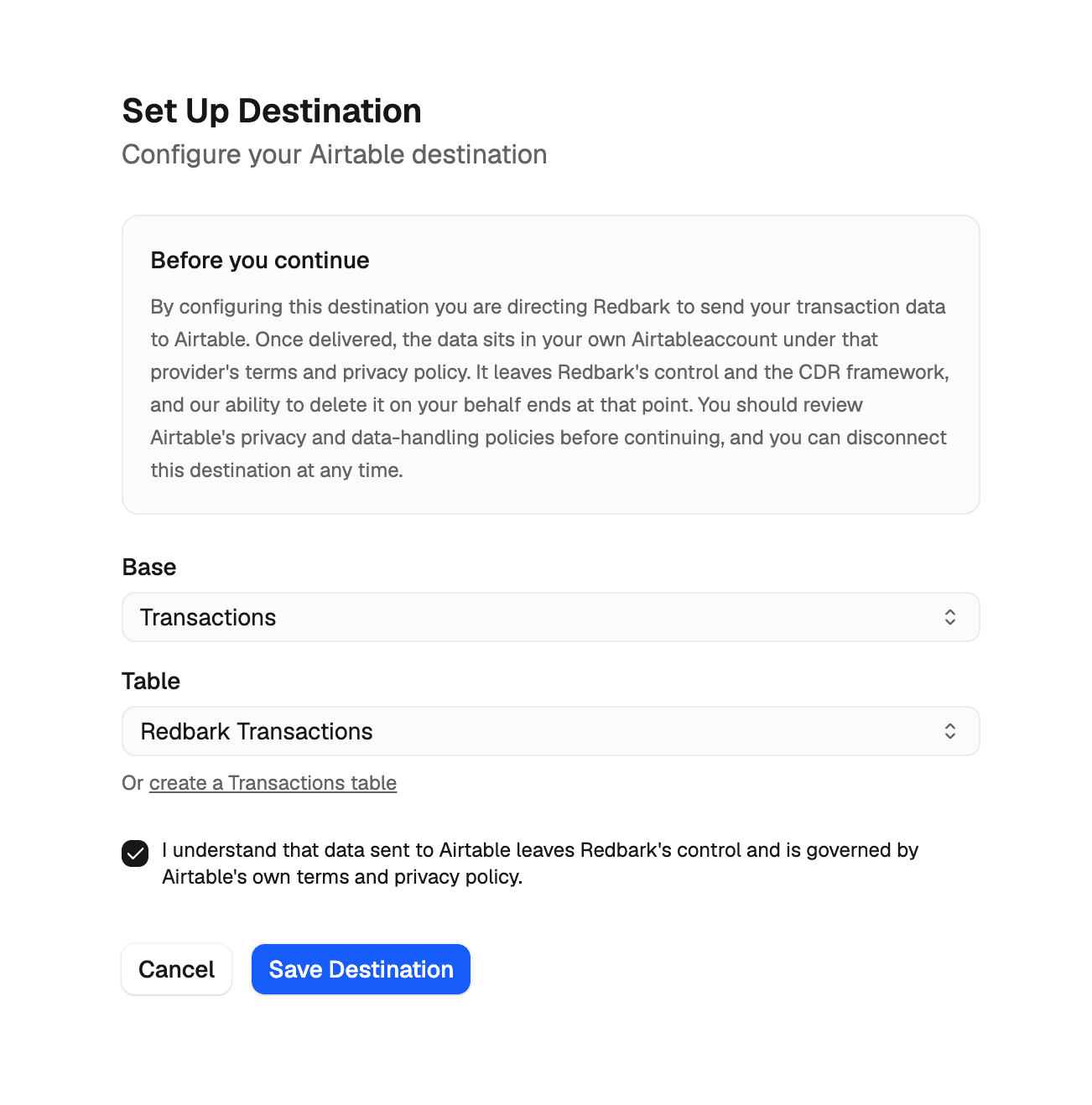
Once you're back, you pick one of those bases, then select an existing table or click create a Transactions table and let Redbark build one for you. Finally you tick the CDR disclosure (confirming that data sent to Airtable leaves Redbark's control and is governed by Airtable's terms) and save.
Creating a sync
With your bank and Airtable connected, you create a sync. A short three-step dialogue walks you through it: pick which bank accounts to include, pick the Airtable destination to write to, and choose how far back to pull transaction history. On the free trial you can go back 3 months. On Pro, up to 7 years.
You can select multiple accounts in a single sync, even from different banks, and they'll all write to the same table. Use the Account field to filter or group them later.
What lands in your base
Each transaction becomes one record with typed fields:
| Field | Airtable type |
|---|---|
| Description | Single line text (primary field on tables Redbark creates) |
| Transaction ID | Single line text |
| Date | Date |
| Amount | Number |
| Currency | Single line text |
| Direction | Single select (credit or debit) |
| Category | Single line text |
| Merchant | Single line text |
| Account | Single line text |
| Status | Single select |
| Class | Single line text |
| Post Date | Date |
On the first run, Redbark creates any fields that don't already exist. If you pick a table you already have, only the missing fields are added and the rest are left alone. Values are written with Airtable's typecast enabled, so they coerce into your column types and select options are created automatically, which means writes keep succeeding even if you change a field's type.
The Transaction ID field is how Redbark deduplicates. On each sync it reads the IDs already in the table and only appends records that aren't there yet. If a previously-synced transaction changes upstream (a category gets enriched, say), the existing record is updated in place rather than duplicated. Don't delete that field.
Add your own fields, views, interfaces, and automations on top. Syncs only create and update records, so everything you build keeps working as the data grows. Full details are in the Airtable destination docs.
How syncs run
Syncs are event-driven. When your bank has new transactions, Fiskil notifies Redbark, and Redbark pulls the new data, checks what's already in your table, and appends the new records in batches. This usually happens within minutes of a transaction posting.
You can also hit Sync Now on any sync from the dashboard if you don't want to wait.
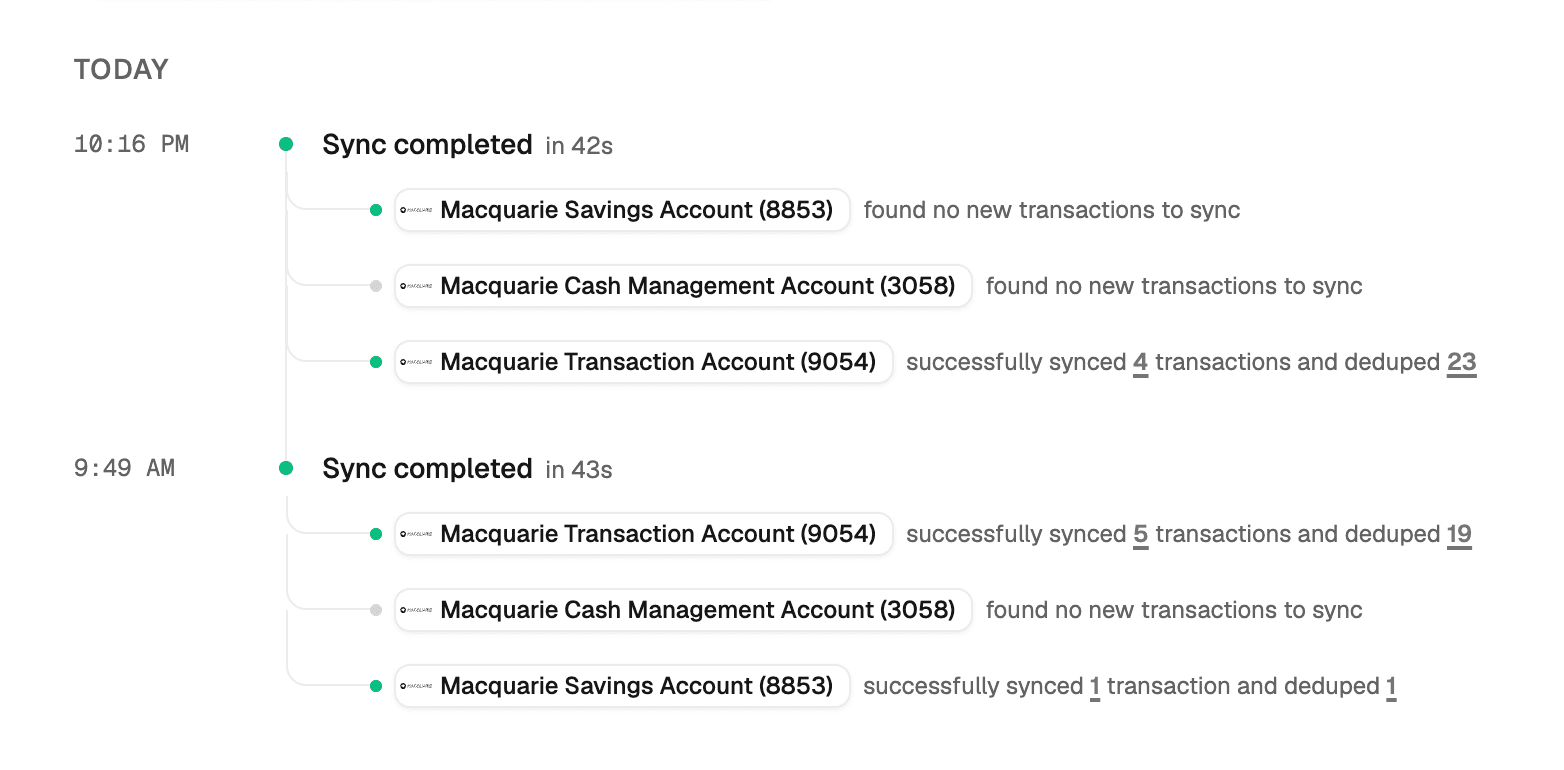
Airtable limits each base to 5 requests per second, so Redbark batches writes and backs off automatically on rate limits. Large first syncs complete on their own without you doing anything.
If a sync fails (your Airtable access was revoked, or your bank is temporarily down), Redbark retries and emails you if it can't sort it out.
What we don't store
Your transaction data passes through Redbark in memory and goes straight to your Airtable base. No transaction amounts, descriptions, merchants, or balances are written to our database or our logs. What the database holds is sync configuration, execution stats (how many records were added, when the sync ran), account metadata so the UI works, CDR consent records, and encrypted OAuth tokens. There's a full technical breakdown if you want the detail.
Getting started
Sign up at app.redbark.co, connect a bank, connect Airtable, and create a sync. The 7-day trial doesn't require a credit card. After that, plans start at A$10/mo billed annually or A$12/mo billed monthly.
If you run into anything, reach out at support@redbark.co.