Manage Your Finances With Claude, ChatGPT, and Cowork Using the Redbark MCP Server
Connect your Australian bank and brokerage accounts to Claude, ChatGPT, Claude Cowork, and Cursor via the Redbark MCP server. Ask AI about your balances, spending, and holdings on demand.

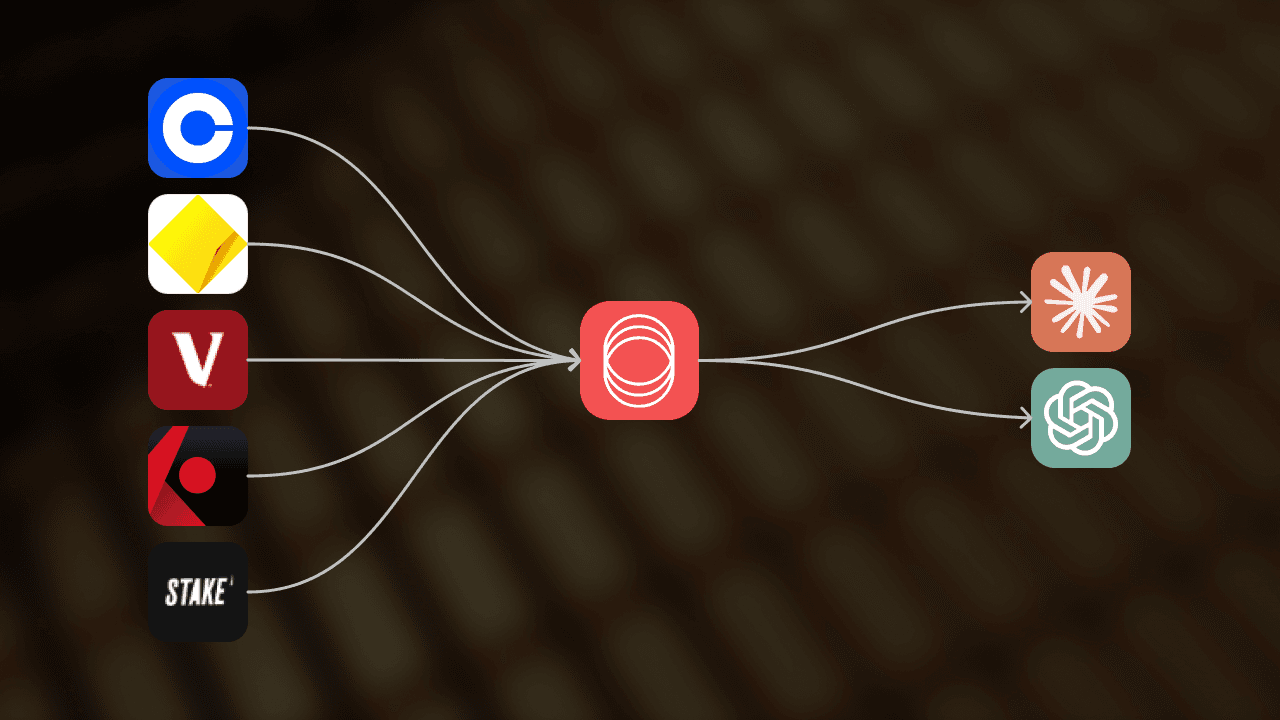
A lot of people are now running their day to day inside Claude or ChatGPT. Email triage, calendar planning, drafting docs, writing code. Asking the same chat window about your money is the obvious next move.
"What did I spend on groceries this month?"
"How much is sitting in my offset account right now?"
"Has my brokerage portfolio recovered since last week?"
Until recently the only way to get there was to export a CSV from your banking app, paste it into the chat, and hope the model picked the right columns. That breaks the moment you want to follow up a week later, and it falls apart entirely when you have multiple accounts at multiple institutions.
Redbark now ships an MCP server that lets your AI assistant query your bank accounts, balances, transactions, and brokerage data on demand. No CSV exports, no copy paste, no stale snapshots.
What is MCP?
Model Context Protocol is the open standard Anthropic released for letting AI tools read data from external services. The shorthand most people use is "USB for LLMs". You plug a server into your AI assistant, the assistant sees a set of tools it can call, and it calls them when your question warrants it.
The Redbark MCP server is read only. Your AI can look at your accounts, balances, transactions, holdings, and trades. It cannot move money, change a connection, or alter a sync. You get an LLM working over your actual financial data without giving it the keys to anything destructive.
Tools that work today
The MCP server speaks Streamable HTTP, so anything that supports the MCP standard can talk to it. We have first class setup instructions for:
- Claude Desktop on macOS and Windows
- Claude Cowork, Anthropic's collaborative workspace
- Claude Code, Anthropic's CLI
- ChatGPT, via the Connected Apps settings
- Cursor, the AI code editor
The MCP server docs have the exact JSON config for each one. In every case it's a few lines pasted into a config file.
What your AI can do once connected
The server exposes six tools that the model invokes automatically based on what you ask:
| Tool | What it returns |
|---|---|
list_connections | Linked banks and brokerages |
list_accounts | Account names, types, and currencies |
list_balances | Live balances for one or more accounts |
list_transactions | Filtered transactions with date and account scopes |
list_holdings | Brokerage positions with prices and unrealised P&L |
list_trades | Historical trades with fees and settlement dates |
You never need to learn any of these names. You ask the question and the model picks the tool.
"How much did I spend on coffee in March?"
The model calls list_transactions with a March date range, filters merchant strings client side, and gives you a total plus the rows it used. If you follow up with "what about cafes versus supermarkets", it makes a second call. The data is fetched live each time, so what you see is what your bank is reporting right now, not a snapshot from last night's sync.
Why this is different from a Google Sheets sync
Redbark's existing destinations (Google Sheets, You Need a Budget, Webhook) push your transactions to a place you own on a schedule. Great for record keeping, automation, and budgeting. The MCP server is the opposite end of the spectrum: nothing is moved until you ask, and nothing is stored.
| Sheets, YNAB, Webhook | MCP Server | |
|---|---|---|
| When data moves | On a schedule | On demand, when you ask |
| Where it lands | A spreadsheet, app, or your endpoint | Your AI conversation |
| Set up in | Redbark dashboard | Your AI tool's config file |
| Best for | Record keeping, budgeting, automation | Asking questions, ad hoc analysis |
Most customers use both. A weekly sync into Sheets keeps a permanent record. The MCP server handles the conversational "what did I spend on" questions that don't really fit a spreadsheet.
How it stays safe
The MCP server inherits the same pass through architecture as the rest of Redbark. We operate as a CDR Representative of Fiskil (ADR ADRBNK000246), and the data Fiskil discloses to us under your consent is what the MCP tools read live. We covered this in detail in How Redbark Securely Syncs Your Financial Data. Transactions and balances are fetched live from Fiskil (for AU banks) or SnapTrade (for brokerages) and returned to your AI tool. Nothing is written to our database on the way through.
A few specifics worth calling out:
- Read only by design. The tools we expose can read your data. There are no write tools. Even if a model hallucinated a destructive action, the server would have nowhere to send it.
- API key auth. Your key lives in your AI tool's local config file. It only ever leaves your machine in the
Authorizationheader on the request tomcp.redbark.co. - Plan gated. MCP access requires a Developer or Professional plan. Brokerage tools require Professional.
- Revocable instantly. Revoking a key in the dashboard stops new requests immediately.
CDR consent for Fiskil banks lasts up to 12 months and we email you 90 days before expiry to re-consent. The MCP server uses the same consent records as everything else; if you revoke at the bank, the AI loses access at the same moment your dashboard does.
Once data reaches your AI tool
Worth being explicit: when the model invokes a tool, the response (your accounts, balances, transactions) is delivered into your AI conversation and is then handled under that provider's terms — Anthropic for Claude, OpenAI for ChatGPT, etc. They may log the conversation, retain it for a period, or use it according to their plan settings. At that point the data has left Redbark's CDR-regulated path. If that matters to you, check your provider's data retention controls and prefer plans (e.g. zero-retention API tiers, business plans with training opt-out) where you have the most control.
Setting it up
Three steps:
- Sign in at app.redbark.co and connect a bank or brokerage. AU banks go through Fiskil's CDR consent flow.
- Go to Settings > API Keys and generate a Developer or Professional key.
- Paste the URL
https://mcp.redbark.co/mcpand your key into your AI tool's MCP config.
The per tool walkthrough lives in the docs. If you're on Claude Cowork, the config goes into Claude's settings as an HTTP type server (not SSE, the server is Streamable HTTP only).
Why we built this
Spreadsheets and budgeting apps cover most of what people need. They are durable and they are yours. But there is a separate class of questions that doesn't really fit a spreadsheet, the kind you would ask a friendly accountant if you had one on speed dial. Those questions belong in a chat window. Plugging Redbark into Claude or ChatGPT means your money is one question away from the place you are already typing.
Sign up at app.redbark.co. The 7 day trial doesn't need a card. If anything looks off, reach out at support@redbark.co.